
1. Download the software from the link.
Knowledge Wizard v4 15-day trial setup
- Download the file setupkw15.zip to your hard drive
- Find the setupkw15.zip file and unzip it
- Look for setupkw15.zip and double-click it to start the installation
- Follow the instructions in the InstallShield Wizard to complete the setup
2. Renew the license.
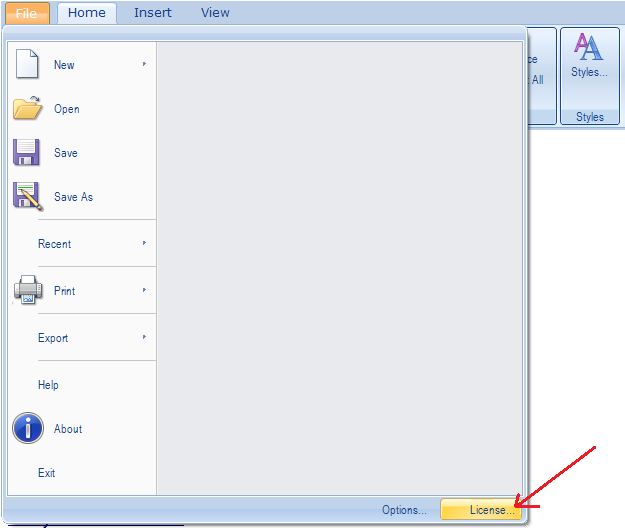
a) Open the license window by clicking on the “License” button.
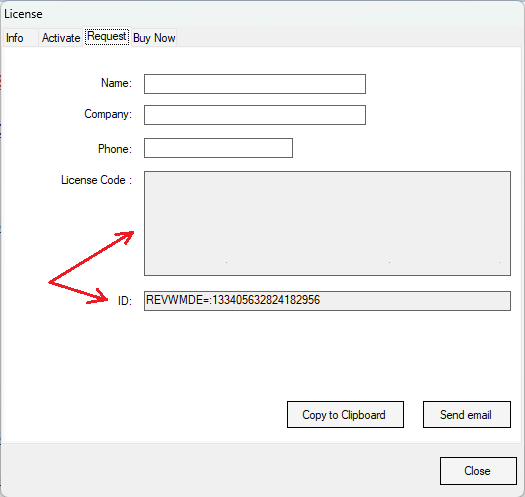
b) Press Request tab and send us your “ID” and “License Code” (copy the string ID and, if available, the License Code or press Send email button).
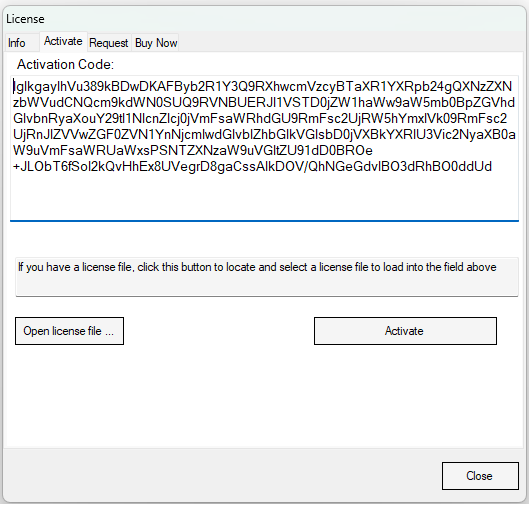
c) Once you have received the unlock code, open the license window, click the Activate tab, and paste the unlock code. Click the Activate button.
3. To set ChatGPT.
a) On the IWB tab, click “AI Chat”.
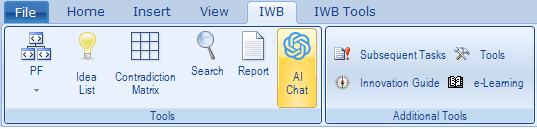
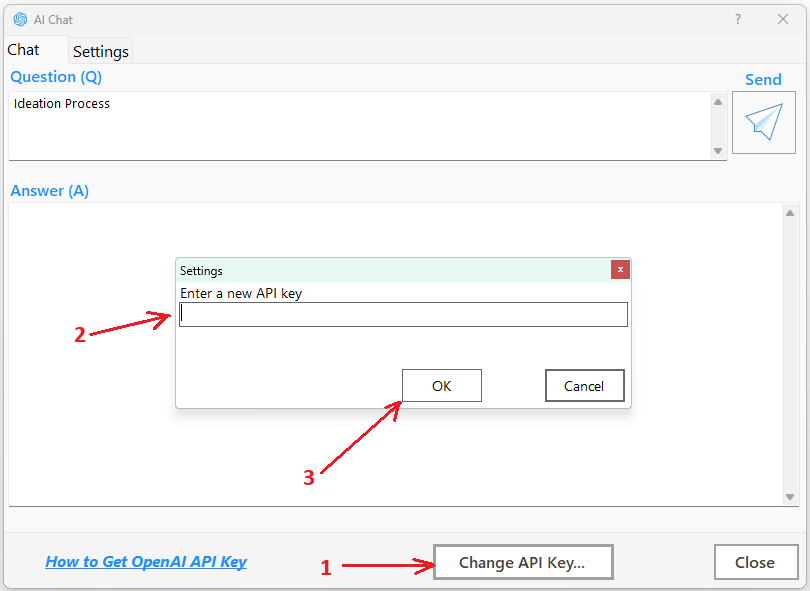
b) In the chat window click “Change API Key”, enter API key and press “OK” (see below).